Why Is My Screwdriver Not Working? Practical Troubleshooting Guide
Learn why is my screwdriver not working and how to diagnose and fix it quickly. Screwdriver FAQ provides practical fixes, safety tips, and prevention to keep tools reliable.


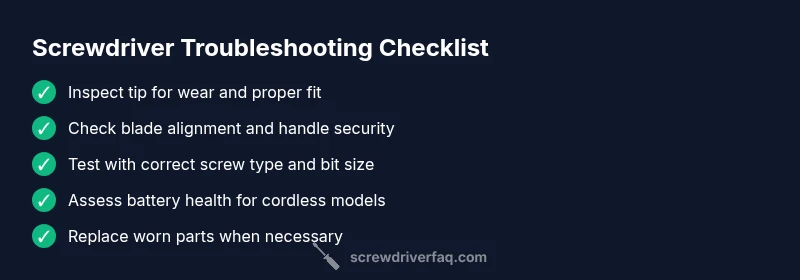
First, rule out the basics: inspect the tip for wear or damage, ensure you’re using the correct bit, and tighten the handle. For cordless models, verify the battery is charged and the switch is correct. If it still won’t engage, follow the diagnostic flow for deeper checks.
Quick checks before you dig deeper
According to Screwdriver FAQ, many screwdriver problems boil down to a few repeatable culprits: worn tips, the wrong bit size, loose handles, or a depleted power source on cordless models. Start with the simplest fixes and verify each factor step by step. This approach reduces unnecessary disassembly and keeps you safe. If you’ve just bought a new set, check that edges and tips are true and not deformed from shipping. If you find that the problem is persistent, you’ll move into deeper diagnostics with confidence rather than guesswork.
In this guide, we focus on practical checks you can perform with common household tools. By treating your screwdriver as a precision tool, you’ll avoid stripping screws, damaging the blade, or injuring yourself. The Screwdriver FAQ team emphasizes patient, methodical testing because a lot of “not working” problems are caused by human error or simple wear that’s easy to fix.
Tip: Create a quick maintenance routine
- Tell yourself to inspect the tip and handle before every major project.
- Clean the shaft and tip after use to prevent rust and debris buildup.
- Store screwdrivers in a dry place to extend life.
- Rotate through your set to identify any tool that is failing early.
Common symptom: slipping or cam-out
If the screwdriver tip can’t grip the screw head and keeps camming out, the most likely cause is tip wear or an incorrect bit size. Slippage can also occur if the bit is not seated fully in the screw head or if the screw is damaged. Check that you are using the correct bit for the screw type (Phillips, flathead, Torx, etc.) and ensure the tip is seated squarely.
Concrete checks for cordless vs manual models
Manual screwdrivers rely on your grip and applied torque, so fatigue or poor technique may mimic a tool fault. For cordless models, battery health is a frequent culprit. Try charging fully, testing the switch, and verifying the gears aren’t jammed. If you hear grinding or the motor strains under load, the issue could be internal.
When to replace parts vs the entire tool
If wear is limited to the tip or bit, replacing just that part is usually the most economical fix. A bent shaft or cracked handle usually requires replacement of the entire screwdriver. If the problem is intermittent or affects multiple bits, consider investing in a higher-quality driver with interchangeable bits to prevent recurring issues.
Safety-first mindset and maintenance routine
Always unplug or remove the battery when inspecting or replacing parts on powered tools. Wear eye protection and keep fingers away from the screw head while testing. Establish a maintenance routine that includes tip inspection, cleaning, and proper storage to extend tool life and ensure safe operation.
Steps
Estimated time: 30-45 minutes
- 1
Confirm the symptom
Identify whether the screwdriver won’t turn, cam-out occurs, or the screw spins without driving. Document the exact behavior and the screw type. This clarity helps you focus on the right potential causes.
Tip: Note the screw head shape and size to guide bit selection. - 2
Inspect the tip and bit
Remove the bit and examine for rounding, chipping, or wear. Try a known-good bit on the same screw to compare grip and drive. Replace if worn or damaged.
Tip: Compare two bits to confirm wear vs. screw head issues. - 3
Check fit and alignment
Re-seat the bit firmly, ensuring it sits straight in the screw head. Check the screwdriver blade for bending or wobble and inspect the handle for cracks or looseness.
Tip: A misaligned bit causes quick cam-out and damaged screws. - 4
Power and drive assessment (cordless only)
Charge the battery fully and test in a low-torque task first. If the motor stalls or the drill bogs down, the battery or internal gears may be the culprit.
Tip: Avoid running a tired battery; it can heat up and reduce torque. - 5
Assess screw condition
Check for stripped, rusted, or oversized screws. Use the correct screw type and consider penetrating oil or a screw extractor for damaged heads.
Tip: Stripped screws need a snug bit fit to avoid further damage. - 6
Decide on replacement vs repair
If wear is localized to tips/bits, replace parts where possible. If shaft/handle shows signs of compromise or the tool fails under load, replace the tool.
Tip: Keep a small spare set of tips handy for common screw types.
Diagnosis: Screwdriver won't engage or drives poorly
Possible Causes
- highWorn or damaged tip or bit
- highIncorrect bit size for the screw type
- mediumLoose or damaged handle or shaft misalignment
- mediumCordless battery depleted or charger faulty
- lowScrew heads stripped or corroded
Fixes
- easyReplace worn tip or bit with the correct profile for the screw.
- easyVerify bit seating and use the proper size/type of bit for the screw.
- mediumTighten or replace a loose/shifted handle or shaft alignment.
- easyRecharge or replace the cordless battery and test the switch.
- mediumInspect screws for damage; use penetrating oil and a thread chaser if head is corroded (careful handling).
- hardIf all else fails, replace the entire screwdriver with a higher-quality model.
Quick Answers
Why does my screwdriver slip even with a new bit?
Slip with a new bit usually means a mismatch between bit size and screw type or tip wear on the driver shaft. Inspect the bit fit and screw head; replace with the correct profile.
A mismatch or wear is the common cause. Check the size and type of the bit and replace if needed.
Can a worn bit cause stripping of the screw?
Yes. A worn or rounded bit reduces grip, increasing the chance of stripping the screw head. Replace worn bits with properly sized, sharp ones.
Worn bits strip screws; replace with sharp, matching bits.
Is it safe to continue using a cordless screwdriver with a weak battery?
Continuing to use a weak battery can overheat the tool and cause poor torque. Charge fully or replace the battery if needed.
Don't push a weak battery; recharge or replace it to avoid damage.
How do I know if the bit size matches the screw?
Check the screw drive type and choose a bit that seats fully in the screw head with no wobble. Test with a scrap screw piece if possible.
Test with a matching bit and check for fit and wobble.
When should I replace the entire screwdriver?
If the shaft is bent, the handle is cracked, or the tool fails under normal use, replacing the screwdriver is safer and more cost-effective.
If the tool is damaged, replace it rather than repair it.
What maintenance prevents future screwdriver issues?
Keep tips sharp and clean, store dry, and periodically inspect for wear. Regularly test with different screws to verify reliability.
Regular checks and dry storage prevent many common issues.
Watch Video
The Essentials
- Inspect tip wear and bit fit before troubleshooting further
- Cordless issues often trace to battery or switch health
- Use the correct bit for the screw type to prevent cam-out
- Repair small parts when possible; replace whole tool if shaft/handle is compromised