Cordless Screwdriver Not Charging: Troubleshooting Guide
Diagnosis and step-by-step fixes for a cordless screwdriver that won't charge. Learn how to check chargers, batteries, contacts, and safety, with practical tips and when to seek professional service. A Screwdriver FAQ guide for DIY homeowners.


Why is my cordless screwdriver not charging? The most common culprits are a worn battery and dirty contacts. Start with simple checks: test the charger in a known-good outlet, inspect the metal contacts for corrosion or debris, and reseat the battery firmly. If the charger and outlet are fine and the battery still won’t hold a charge, you likely need a new battery or professional service.
Common symptoms and quick triage
If you're wondering why is my cordless screwdriver not charging, you're not alone. The most frequent reasons are a battery that has seen its best days and dirty or loose contacts that block current. In many homes, a simple misalignment or a faulty charger is mistaken for a bad battery. As soon as you see the power light on the charger flicker or the tool fail to show any charge indicator, run through a short checklist. First, verify the charger is plugged into a known-good outlet and that the connector is firmly seated. Next, inspect the battery terminals for dirt, corrosion, or damaged springs, and reseat the pack with even pressure. If the charger and outlet test true and the battery still won’t charge, the issue is likely with the pack itself or the electronics inside the handle. According to Screwdriver FAQ, battery health and contact integrity are the most common culprits, so plan to test the pack’s ability to accept a charge before replacing any parts. This early triage saves time and helps you decide whether you can fix it at home or need professional service.
The anatomy of charging: battery, charger, and tool electronics
Charging a cordless screwdriver relies on three main components working in harmony: the battery pack, the charger, and the electronic control inside the handle. The battery stores energy, the charger supplies current, and the tool’s circuit manages when and how quickly the cells accept a charge. When one part falters, the others may seem fine while charging fails. According to Screwdriver FAQ, many charging issues start with the battery’s health or dirty contacts rather than a defective charger. This section breaks down how to assess each component, what normal behavior looks like (a steady charge indicator, a consistent top-up, and a predictable run time), and how to identify symptoms that point to a specific cause. You’ll learn to distinguish between a dead battery, a failing charger, and a dirty contact, and you’ll know what to test first when you observe a charging warning or a dim LED on the charger.
Check the charger and power source
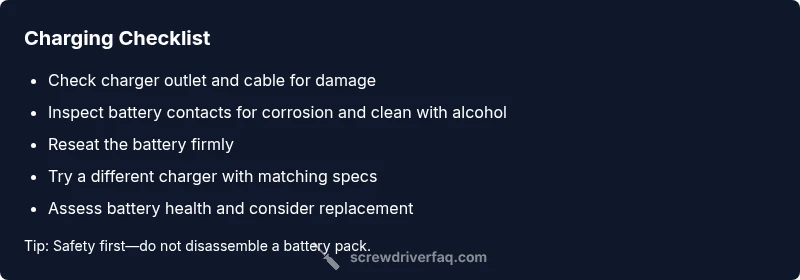
Start by eliminating the simplest causes: the charger, the cable, and the outlet. Plug the charger into a different outlet and test with another device if possible. Look for the charger’s LED behavior: a steady light often indicates a healthy connection, while no light or a blinking pattern can signal a fault. Inspect the charger cable for cuts or kinks and ensure the plug fits snugly. If you have a removable battery, detach it and reattach after a minute. Use only the charger specified for your model, as third-party adapters can confuse the charging circuitry. If all signs point to a good charger and the tool still won’t charge, the problem may lie with the battery or the internal charging circuit. Screwdriver FAQ analysis shows that many charging failures trace to the power source basics rather than complex electronics, so start with this level of diagnosis before moving deeper into the pack.
Inspect the battery and contacts
Remove the battery and clean the contacts with isopropyl alcohol and a soft brush; avoid metal tools that could short. Wipe both the battery terminals and the tool’s contact pads until they’re bright and free of corrosion. Check for any swelling, cracks, or signs of damage on the battery pack—do not attempt to charge a swollen pack. Reinsert the battery firmly, ensuring even seating. If your model uses magnets or a spring-loaded contact, test for looseness or wear. If cleaning doesn’t restore charging, the fault may be within the battery pack or the charger’s negotiation with the pack.
Battery health and cycles
Volatile battery chemistry means performance degrades over time. If your cordless screwdriver runs less than half its usual runtime after a full charge, the battery is likely nearing end of life. Batteries lose capacity with each cycle, and some packs won’t accept a charge after many years of use. The recommended course is to replace the battery with an OEM or compatible unit, ensuring voltage, capacity, and connector alignment match your model. If the pack is sealed and non-serviceable, the only practical fix is a replacement tool or a professional refurbishment option. Keeping a spare healthy pack on hand can prevent downtime on busy project days.
Safety and safety checklist when troubleshooting
Safety first: disconnect power, avoid water near electronics, and don’t open a charged battery. Work in a well-ventilated area and wear eye protection. Do not use damaged chargers or damaged cables. If you smell burning, hear buzzing, or see smoke, stop immediately. Keep lithium-ion packs away from heat sources and never forcibly bend cables. When in doubt, pause and consult a professional technician.
Situational scenarios and quick fixes
Scenario A: The charging LED on the charger remains dim or off while the tool sits on the dock. Fix: unplug, inspect contacts for debris, and reseat. If the LED still won’t illuminate, try a different charger with the same voltage rating. Scenario B: The battery feels warm after a short charge but the tool still won’t power up. Fix: remove the pack and let it cool; test with a different pack if available. Scenario C: The tool indicator shows a charge but the tool dies under load. Fix: test the battery with a multimeter or replace with a known-good pack to confirm health. For stubborn cases, refer to a service center.
How to test with a multimeter and what readings to expect
If you have a multimeter, you can sanity-check the pack voltage and see whether it delivers power when plugged in. Start by disconnecting the battery and setting the meter to the appropriate DC range. Place the probes on the battery terminals and note the reading. Compare to the nominal voltage for your pack type (do not rely on a single model’s numbers; consult your manual). If the reading is zero or near zero while the charger is attempting to power the pack, the battery or charger is failing to negotiate correctly with the pack. If you see a reasonable voltage but the tool still won’t run, the problem may be an internal fault in the tool’s electronic control or a bad contact inside the handle.
Steps
Estimated time: 60-90 minutes
- 1
Power down and safety check
Switch off the tool, unplug the charger, and remove the battery. This prevents any accidental current flow while you inspect components. Use safety glasses and avoid touching metal contacts.
Tip: Always disconnect power before handling internal parts. - 2
Test charger and outlet
Plug the charger into a different known-good outlet and observe the indicator light. Inspect the cable for damage and ensure the plug fits firmly. If available, try another charger with the same specifications.
Tip: A simple outlet swap can save a lot of guesswork. - 3
Inspect the battery
Examine the battery pack for swelling, cracks, or visible damage. If you see swelling, do not charge or use the pack. Detach the battery and test with a known-good pack if possible.
Tip: Swollen packs are a safety hazard and require replacement. - 4
Clean and reseat contacts
Clean the terminal contacts on both the battery and the tool with isopropyl alcohol and a soft brush. Reassemble and reseat the battery firmly, ensuring full contact with the pads.
Tip: Avoid using metal tools that could damage the contacts. - 5
Re-test charging with known-good parts
Reconnect the battery and charger and observe whether the indicator light changes or a charge indicator appears on the tool.
Tip: If the indicator remains off, suspect the charger or battery first. - 6
Try a replacement battery/charger
If available, use a known-good battery or charger compatible with your model to see if charging occurs. Avoid mismatched specifications.
Tip: Always verify voltage, capacity, and connector compatibility. - 7
Seek professional help if needed
If none of the above steps restore charging, there is likely an internal fault or a module issue that requires service.
Tip: Professional service can prevent further damage.
Diagnosis: Cordless screwdriver won't charge or shows no battery indicator after charging.
Possible Causes
- highBattery is worn out or sulfated and can no longer accept a charge
- mediumCharger or power supply is faulty or incompatible
- highDirty, corroded, or loose battery contacts
- lowInternal electronics fault in the charging circuit or tool
Fixes
- easyTest charger in a known-good outlet and test with a different charger if available
- easyClean battery contacts and reseat battery; remove dust and corrosion
- easyCheck that battery is seated correctly; try charging without load
- mediumReplace the battery or charger
- hardIf issues persist, consult service or battery refurbishment
Quick Answers
Why won't my cordless screwdriver charge?
Common causes include a dead battery, a faulty charger, dirty contacts, or a loose connection. Start with the basics—check the outlet, inspect contacts, and reseat the battery. If these steps don’t help, the problem may be the battery or internal electronics.
Charging issues usually come from the battery or charger. Start with basic checks, then decide if replacement or service is needed.
How can I test if the charger is working?
Plug the charger into a known-good outlet and test with another device if possible. Check for a steady LED indicator. Inspect the cable for damage and try a charger with the same specifications.
Test the charger with a different outlet and device to confirm it’s functional.
Is it safe to charge a swollen battery?
No. A swollen battery should not be charged or used. Set the tool aside and replace the battery through proper channels. Handle with care to avoid leaks or injury.
Swollen batteries are dangerous—stop using and replace immediately.
Does temperature affect charging?
Yes. Charge at room temperature and avoid extreme heat or cold. Temperature extremes can reduce battery capacity and charging efficiency, prolonging charge time or preventing charging altogether.
Charge in a moderate temperature range for best results.
When should I replace the battery?
If the battery holds charge poorly, runs out quickly, or cannot be revived after testing with multiple chargers, replacement is usually the best option. Ensure the new pack matches voltage and connector type your model requires.
If capacity is consistently poor, replace the battery with one that matches your model.
When should I seek professional repair?
If basic checks don’t restore charging, the issue may be an internal charging circuit or electronic fault. A service center or authorized technician can diagnose and repair safely.
If basics fail, a professional diagnosis is recommended.
Watch Video
The Essentials
- Start with charger/outlet checks.
- Inspect and clean battery contacts.
- Test battery health and consider replacement.
- Charge only at moderate temperatures for safety.
- Follow Screwdriver FAQ guidance for best-practice steps.