How to Fix an Electric Screwdriver: A Practical Guide
Learn how to diagnose and repair common electric screwdriver problems with confidence. This comprehensive guide covers safety, tools, step-by-step fixes, and maintenance to restore performance.


You will diagnose and fix common issues that stop an electric screwdriver from working, including a dead battery, stuck chuck, and a faulty trigger. This quick answer outlines essential checks, safety steps, and recommended tools so you can troubleshoot confidently and decide whether a repair is practical or if replacement is wiser.
How an Electric Screwdriver Works
An electric screwdriver is a compact, powered motor connected to a chuck that holds bits. When you press the trigger, electrical current drives the rotor, which through a reduction gear increases torque at the chuck. The battery supplies DC power and can be nickel-cadmium, NiMH, or lithium-ion, each with different discharge characteristics. Knowing these basics helps you diagnose problems. If you’re asking how to fix electric screwdriver, start with the simple, observable issues before disassembling the tool, because many faults are user-serviceable and don't require new parts. Common suspects include a dead battery, a worn or stuck chuck, dirty contacts, a faulty trigger, or a damaged wiring connection. Always test the basics first: check the battery charge level, try a fresh battery if possible, and confirm the chuck opens and closes smoothly. You’ll often solve 80% of cases with those checks, saving time and avoiding unnecessary repairs. In this guide, we’ll walk through safe inspection steps and practical fixes. According to Screwdriver FAQ, many problems start with poor battery health, so testing cells and keeping charges within recommended ranges is essential.
tipLanguageNote":"For people new to tools, take extra care with battery-powered devices and avoid attempting high-voltage repairs."
Tools & Materials
- Multimeter (for continuity and voltage checks)(Digital preferred; set to appropriate DC range for your screwdriver battery)
- Replacement battery or known-good spare(Lithium-ion or NiMH, matching your tool’s chemistry)
- Assorted bits and screwdriver set(Phillips and flat-head in common sizes; include Torx/JIS as needed)
- Small Phillips and flat-head screwdrivers(For panel screws and battery compartment)
- Isopropyl alcohol (at least 70%)(For cleaning contacts)
- Cotton swabs or lint-free cloth(To apply cleaner and dry contacts)
- Lubricant (light machine oil)(Only for gears/bearing interfaces; apply sparingly)
- Compressed air can(Blow out dust from vents and gears)
- Safety glasses(Protect eyes during disassembly and testing)
- Small pliers or tweezers(Handle small parts and wires safely)
Steps
Estimated time: 45-75 minutes
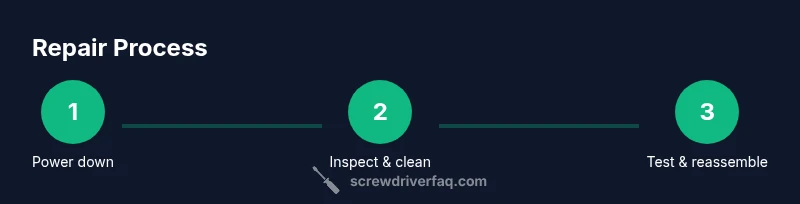
- 1
Power down and remove the battery
Ensure the tool is off, then unplug any charging cable and remove the battery pack. This prevents accidental starts and electrical shocks during inspection. If your model uses a removable battery, keep it in a cool, dry place while you work.
Tip: Always disconnect power before opening the case to avoid shorts. - 2
Inspect the exterior and chuck
Check the chuck for debris, misalignment, or a loosened grip. Manually rotate the chuck to feel for rough spots. A stuck chuck is a common cause of intermittent performance.
Tip: Use a small brush or compressed air to clear debris from the chuck jaws. - 3
Clean contacts and internal wiring
Examine the trigger contacts and battery terminals for corrosion or residue. Clean with isopropyl alcohol and a cotton swab until bright metal surfaces show. Look for loose wires or damaged insulation near the switch.
Tip: Be gentle with wiring during cleaning to avoid creating new shorts. - 4
Test the trigger and switch
With the battery removed, use a multimeter to verify continuity when the trigger is pressed. If there’s no response, the switch may be worn out and require replacement.
Tip: If you’re unsure about testing, consult the tool’s service manual or a professional. - 5
Check the battery and charger
Measure the battery voltage; compare to the nominal rating. If the voltage is significantly below the expected range, try a known-good battery. Check the charger’s output with a multimeter to ensure it’s charging properly.
Tip: A weak battery often masquerades as motor or trigger failure. - 6
Inspect the gear train and brushes
If your model uses carbon brushes, inspect for wear. Worn brushes reduce motor efficiency and cause intermittent performance. Look for uneven wear or missing segments.
Tip: Do not force gears; if brushes are worn, replace them with the correct part.” - 7
Reassemble and test
Carefully reassemble the tool, ensuring all screws are snug and the chuck is aligned. Reinstall the battery and perform a controlled test on scrap wood or a practice piece to ensure proper operation.
Tip: Test in small, controlled increments before resuming full work.
Quick Answers
Why won’t my electric screwdriver start after I replace the battery?
common causes include a faulty battery connection, a discharged battery, or a blown fuse in the switch. Recheck the battery terminals for tight, clean contact and try another known-good battery.
If it still won’t start after a battery swap, recheck contacts and try a different battery to rule out a bad cell.
The chuck spins but bits don’t engage properly, what should I check?
inspect the chuck jaws for damage or debris and ensure the bit is fully seated. If the jaws are worn, replace the chuck or use a compatible adapter.
Make sure the bit is seated firmly in the chuck and the jaws aren’t worn or blocked.
How can I tell if brushes are worn in my screwdriver?
carbon brushes wear with use. If the motor runs intermittently or loses power under load, brushes may be the culprit. Measure or inspect wear in a service manual.
Worn brushes cause intermittent power loss; replacement is typically straightforward with the right parts.
Is lubrication necessary, and what should I use?
some gear trains benefit from light lubrication, but many modern tools are sealed and do not require lubrication. If applicable, use a tiny amount of light machine oil on the gear interface.
Only lubricate where the manufacturer recommends; over-lubrication can attract dust.
When should I replace instead of repair?
if the tool is old, repair costs exceed replacement, or major components like the motor or brushes are worn beyond affordable limits, replacement is wiser. Consider tool value and frequency of use.
If repair costs approach or exceed a new tool, replacement is usually the best option.
Watch Video
The Essentials
- Test power source before opening the tool
- Use the correct bit size to avoid damage
- Clean and inspect contacts and chuck regularly
- Document wiring and parts before disassembly