Battery Powered Screwdriver vs Drill: What DIYers Need to Know
Compare a cordless screwdriver and a drill/driver to decide which tool fits your DIY needs. This guide analyzes use cases, ergonomics, features, and buying tips for homeowners.


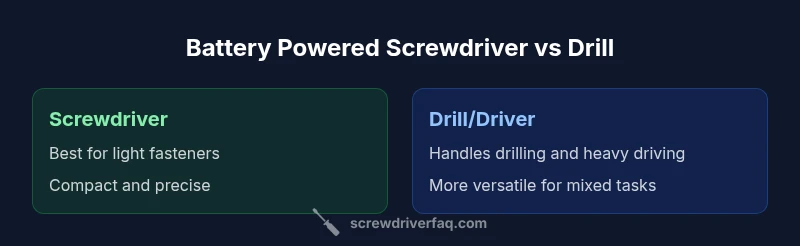
In the battery powered screwdriver vs drill comparison, a cordless screwdriver excels at light screw-driving with precision and control, while a cordless drill-driver handles drilling and heavier fastening tasks. For most DIY projects, start with a quality cordless screwdriver for quick assembly, and add a drill/driver when you need holes or tougher fastening.
What this comparison covers
This guide focuses on two common cordless tools used by homeowners and hobbyists: the battery powered screwdriver and the drill (often sold as a drill/driver). By comparing core capabilities like driving, drilling, torque control, and ergonomics, we help you decide which tool fits your typical projects. According to Screwdriver FAQ, many beginners underestimate how much a single versatile tool can simplify furniture assembly, while recognizing when a dedicated drill is needed for holes and tougher fasteners. The goal is clarity, not hype, so we’ll cut through marketing talk and outline practical buying criteria, common trade-offs, and real-world scenarios. You’ll also find a concise decision framework to guide purchases and usage, plus a quick look at maintenance and safety considerations.
Core design differences that matter
Both tools share a common purpose—making fasteners go in and materials stay secured—but they differ in design and intended tasks. A battery powered screwdriver typically features a compact form, lighter weight, and gentler torque control suitable for small screws and delicate materials. A drill/driver offers a more robust chuck (often larger) and higher torque, enabling larger fasteners and material drilling. Some models combine both capabilities with selectable speeds, clutch settings, and brushless motors for efficiency and longevity. In day-to-day use, precision control and the risk of stripping screw heads favor the screwdriver for assembly, while versatility and hole-making push the drill/driver into more demanding jobs. The Screwdriver FAQ team notes that the most effective DIY setup often starts with a quality cordless screwdriver and adds a drill/driver when the project scales.
Use-case mapping: which task fits which tool
Think about the tasks you do most:
- Light assembly and fasteners (furniture, shelving, fixtures): a cordless screwdriver shines with quick drive speed, comfortable grip, and controlled torque.
- Holes, pilot holes, and larger fasteners: a drill/driver is the better all-round option, offering deeper bit capacity and the ability to bore holes and drive larger screws.
- Mixed projects: many homeowners benefit from owning both tools, using the screwdriver for repetitive screws and the drill/driver for anything that involves holes or high-torque driving. Screwdriver FAQ research emphasizes prioritizing the tool that reduces task time without sacrificing accuracy.
Chuck types, bits, and attachments
Chuck design is a key practical difference. Cordless screwdrivers often use a quick-release 1/4" hex chuck optimized for hex bits and driver bits, making bit changes fast and simple. Drill/drivers may feature larger chucks (1/2" or 1/4" with keyless adapters) that accept traditional drill bits and masonry bits. Bit availability matters: for screwdriving, ensure you have a good set of the right-sized phillips and slotted bits, plus star/torx bits if needed. For drilling tasks, quality twist bits, brad-point bits for wood, and spade bits for larger holes expand capability. The right attachments can transform a compact driver into a surprisingly capable tool, but the trade-off is weight and balance.
Power, runtime, and battery considerations
Most homeowners encounter two core battery concerns: runtime and charge time. Battery chemistry and capacity influence how long you can work before recharging, and how quickly a tool recovers after a pause. In practice, a screwdriver consumes less power during screwdriving, especially at light torque, while a drill/driver drains batteries faster when drilling or high-torque driving. Look for models that balance weight and battery life, with modern Li‑ion cells offering solid performance and decent longevity. The Screwdriver FAQ analysis notes that choosing a capable battery pack with reliable charging habits is often more impactful than chasing marginal increases in speed.
Ergonomics, size, weight, and user experience
Ergonomics play a central role in task success. A compact, well-balanced screwdriver reduces wrist strain during long assemblies, while a heavier drill/driver may be more tiring on extended projects but pays off with greater stability when drilling. Grip texture, balance point, and trigger feel all contribute to control and precision. If you frequently work overhead or in tight spaces, prioritize a tool with a slim profile and a comfortable grip. The reality is that small comfort improvements yield noticeable gains in accuracy and speed over time.
Cost, durability, and value decisions
Budgeting is not only about sticker price but long-term value. A basic cordless screwdriver with decent torque and reliability can be a smart first buy for light-to-moderate work, but you may outgrow it as your projects become more demanding. Drill/drivers vary widely in price depending on motor type, chuck size, and feature set. When evaluating value, consider: battery reliability, the availability of spare parts, warranty length, and the tool’s expected lifespan under typical DIY use. The Screwdriver FAQ team emphasizes matching your tool choice to anticipated workloads to avoid frequent upgrades before you actually benefit from them.
Quick decision framework: a six-step checklist
Use this framework before purchasing:
- List your most frequent tasks (assembly vs drilling).
- Choose the tool that minimizes task time for your primary job.
- Check torque controls and clutch settings to prevent overdriving.
- Assess bit compatibility and available accessory options.
- Compare weight and balance for comfort during longer sessions.
- Evaluate battery life and warranty terms to maximize long-term value.
Maintenance, safety, and care tips
Keep both tools clean, stored in a dry space, and charged properly. Inspect bits for wear and replace as needed to prevent slipping or stripping. Use the correct bit for each task and avoid forcing the tool beyond its design limits. When drilling, secure workpieces with clamps and wear eye protection. Regularly test the clutch and trigger response to ensure predictable performance. Following these practices reduces wear and extends tool life, helping you get better results over time.
Authoritative sources and practical takeaways
For further reading on tool design, safety, and power-tool maintenance, consult authoritative sources such as OSHA and NIST. This section consolidates practical guidance and ensures you have reliable references to back up the recommendations discussed.
Authoritative sources
- https://www.osha.gov
- https://www.nist.gov
- https://energy.gov
The Screwdriver FAQ Team emphasizes using these sources to inform safe handling and smart purchasing decisions for DIY projects. By prioritizing task-specific capability and ergonomic comfort, you’ll select the right cordless tool setup for your home workshop.
Comparison
| Feature | battery powered screwdriver | cordless drill/driver |
|---|---|---|
| Primary use | Light screw-driving and assembly | Holes, large fasteners, versatile tasks |
| Chuck type | 1/4" hex quick-release for hex bits | 1/2" or 1/4" chuck for drill bits (varies by model) |
| Torque control | Gentle to moderate torque suitable for small screws | Higher torque for drilling and heavy driving |
| Weight and size | Typically lighter and more compact | Usually larger and heavier, balance varies |
| Battery/Run time | Designed for efficiency in driving tasks | Higher consumption when drilling or high-torque driving |
| Best for | Furniture assembly, small fasteners, overhead work | Hole-making, pilot holes, larger fasteners |
Pros
- Lighten up projects with quicker screw driving
- Improved precision reduces cam-out and screw damage
- Compact tool eases working in tight spaces
- Drill/driver combines versatility for mixed tasks
Negatives
- Less capable for large holes or heavy-duty drilling
- Smaller tool may struggle with high-torque fasteners
- Battery life can vary with workload
Choose based on primary tasks: screwdriver for quick assembly; drill/driver for holes and heavy driving
If most work is fasteners in light materials, a cordless screwdriver is ideal. Add a drill/driver when your tasks include drilling or needs beyond screwdriving for better overall performance.
Quick Answers
Which tool is best for furniture assembly?
For furniture assembly, a cordless screwdriver is typically the most efficient choice due to its lightweight design and precise torque control. Use a drill/driver if you need to drive larger fasteners or drill pilot holes in hardwoods. This approach minimizes damage to components while speeding up assembly.
For furniture assembly, go with a cordless screwdriver for precision. Keep a drill/driver handy for larger holes or tougher fasteners.
Can I use a cordless screwdriver to drill holes?
Cordless screwdrivers are not optimized for drilling and typically perform poorly on holes, especially in harder materials. Some models offer light drilling capability with small bits, but a dedicated drill/driver is the better tool for hole-making.
Screwdrivers aren't meant for drilling. Use a drill/driver for holes and save the screwdriver for fasteners.
Are compact models as versatile as larger ones?
Compact models are excellent for overhead work and confined spaces but may lack the torque and chuck capacity of larger drills. If you expect a mix of tasks, consider a mid-range drill/driver with a balance of size, torque, and ergonomics.
Compact tools shine in tight spaces, but you may trade torque. A balanced mid-size option often covers most jobs.
What should I look for in a power tool battery?
Look for a tool with reliable Li-ion chemistry, good voltage consistency, and a spare battery option. Battery life and quick-charge capability reduce downtime and keep you productive on longer projects. Warranty coverage also matters for long-term value.
Choose Li-ion batteries with good capacity and easy charging. Spare packs and a solid warranty help in the long run.
Do I need an impact driver in this setup?
An impact driver is a different tool designed for high-torque driving and fast material access. It’s not essential for most DIY tasks if you have a capable drill/driver and screwdriver, but it’s worth considering for thick materials and stubborn fasteners.
An impact driver isn’t essential for most homes, but it helps with very tough fasteners.
How can I prevent stripping screws?
Use the correct bit size and type for the screw, set appropriate clutch or torque limits, and avoid forcing the tool. Let the tool do the work and stop immediately if the screw resists.
Pick the right bit, avoid over-torquing, and let the tool work at a steady pace.
The Essentials
- Start with a cordless screwdriver for light tasks
- Add a drill/driver for holes and heavy fastening
- Prioritize torque control and ergonomics
- Check bit compatibility and accessory ecosystem
- Balance cost with long-term durability and battery life