Screwdriver Won’t Catch Screw: Quick Fixes and Troubleshooting
Urgent, practical guide to diagnosing and fixing a screwdriver that won't catch a screw, with step-by-step solutions and safety tips for DIYers.


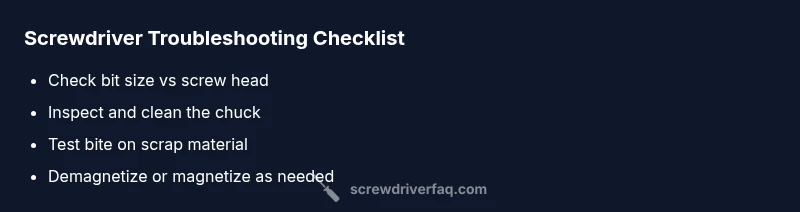
The most likely cause is a worn, dirty, or mis-sized bit that won’t grip the screw. Start by cleaning the chuck, ensuring the bit seats fully, and using the correct drive size. If the problem persists, try a fresh bit and, if needed, re-magnetize or replace the bit or driver.
Why the screwdriver won't catch screw
If your screwdriver won’t catch the screw, the issue is usually mechanical: the driver bit isn’t gripping the screw head firmly enough. According to Screwdriver FAQ, most slips come from a bit that’s worn, dirty, or mismatched to the screw type. Before you panic, perform a quick check: confirm you’re using the correct drive (Phillips, flathead, Torx, etc.), that the bit is fully seated in the chuck, and that the screw head isn’t stripped or damaged. In many cases, the problem disappears after a simple adjustment. The key is to move methodically from the easiest fix to more involved repairs. Also ensure you’re applying steady, straight pressure and not tilting the handle, which can slip the bit out of the head. By isolating one variable at a time, you’ll identify whether you need a new bit, a magnetized driver, or a replacement tool.
Common causes at a glance
Screwdriver won’t catch screw problems typically fall into a handful of causes that you can check quickly:
- Worn or dull bit: Over time, the cutting edges round off, reducing grip.
- Wrong bit size or drive type: A Phillips bit in a flathead screw, or vice versa, will skip.
- Dirty or jammed chuck: Debris can prevent the bit from seating fully.
- Loose chuck or worn jaws: If the bit wiggles, grip is lost.
- Magnetic issues: If the bit is de-magnetized, it may not hold the screw securely, and if over-magnetized, it can pull screws out of alignment.
- Damaged screw head: A stripped head makes grip impossible regardless of the bit.
If you can’t identify a primary cause, test with a different screw and a known-good bit set to confirm whether the issue is tool- or workpiece-related. The rapid triage you perform here will save time and prevent damage to fasteners.
Check the basics first
Begin where you should always start: the simplest things. Start by selecting the correct bit for the screw head and securing it fully in the chuck. Try a fresh bit that matches the screw’s drive. If you’re using a cordless drill or impact driver, dial down torque to a safe level to avoid cam-out. Check the screw head for rounding or stripping; if it’s damaged, the driver may never get a good bite until you replace the screw or drive. Ensure you’re applying straight, downward pressure: angle can cause the bit to ride out of the screw slot, especially on soft woods or metal. Inspect the chuck for play; if you can wiggle the bit in the jaws, you’ll lose grip every time. Finally, test with a different screw in the same material; if the new screw seats, the issue lies with the original fastener.
Clean the chuck and inspect the bit
A dirty chuck can prevent a bit from seating, giving the impression that the screw won’t catch. Remove the bit, wipe away dust and metal shavings, and inspect the jaws for nicks or deformation. If the jaws misalign, you may need to replace the chuck or the entire driver. While the bit is out, inspect it for wear: chips on the leading edge or rounding at the tip means you need a new bit. Cleanliness matters: tiny grit can coat the edges and reduce friction, allowing the bit to skate instead of bite. Reinsert the bit and run a quick test on a scrap piece. If the same problem occurs, move to the next fixes—often a simple chuck clean-out solves the issue.
Correct bit size matters: choosing the right drive
The mismatch between bit and screw is a frequent culprit. The quickest way to confirm is to try a known-good bit in the same drive type and compare grip. Use the bit that matches the screw head precisely; a tiny size difference can cause slipping and cam-out. For Phillips screws, ensure the tip width fills the recess without the edges catching on the corners. For slotted screws, confirm the slot width and edge depth; if the bit is too wide, it will ride along the slot instead of seating. Consider trying several sizes within a close range if you’re not sure. If you’re using metric screws, verify the screw is not a foreign standard that your bit cannot engage. Always test on scrap material to avoid damaging the actual project.
Magnetization and the bit: to attract or to release
Magnetized bits are a double-edged sword: they help hold screws, but excessive magnetization can pull the screw prematurely or misalign it. If the bit is too magnetized, the screw may stick to the bit but still not bite in. If magnetism is weak, the screw might slip away before seating. Use a magnetizer or demagnetizer to adjust as needed. Re-magnetizing a dull or heavily used bit can restore grip, but only if the drive and screw match. For some DIY tasks, a magnetizing approach is enough to improve grip on soft wood screws; for metal, verify the screw’s head and drive aren’t damaged. After magnetizing, test on scrap material and watch for cam-out as you apply pressure. Remember: magnetization is not a substitute for a good bit or proper seating.
When a tool replacement is necessary
If all the above steps fail, it’s time to consider replacing parts. A worn or damaged chuck cannot grip bits reliably and will cause slips regardless of bit quality. Replacing the entire driver is a bigger step, but sometimes the most cost-effective fix for an older or low-quality tool. For common household tasks, buying a matched screwdriver-bit set with multiple sizes is often cheaper than repairing a non-branded tool. When replacing parts, prioritize the drive type you encounter most (Phillips, slotted, Torx, etc.) and a magnetized option if you do frequent screws in metal. Safety note: unplug power tools before disassembly, and keep small screws away from children. If you’re unsure about the tool’s condition, consult a repair technician or the manufacturer’s support line.
Proactive maintenance to prevent future slips
Prevention is the best fix. Regularly inspect and replace worn bits before they fail. Keep the chuck clean and free of debris; store tools with bits fully seated to reduce wear. Develop a routine: check drive sizes against common screws in your kit, clean the chuck monthly, and magnetize only as needed. Use a magnetizer to refresh grip on high-use bits; avoid heavily magnetized bits when working near delicate hardware like electronics. Store your tools in a dry place to prevent rust. Finally, calibrate your approach: apply steady pressure, keep the tool perpendicular to the work surface, and avoid twisting while the bit is engaged.
Steps
Estimated time: 25-40 minutes
- 1
Inspect and gather the correct bit
Power down and remove any power source from cordless tools. Inspect the screw head and choose a bit that matches precisely. Gather a spare bit set and a scrap piece of material to test on, ensuring you have options if the first choice fails.
Tip: Always verify drive type before touching the screw; a wrong bit is the most common cause. - 2
Clean and reseat the bit in the chuck
Remove the bit and clean the chuck with a soft brush or compressed air. Reinsert the bit fully so it sits flush in the jaws. Gently rotate the chuck to confirm there is no wobble at seating. A tight, clean fit ensures maximal grip.
Tip: A wobbly bit indicates a worn chuck that may need service. - 3
Test seating on scrap material
Drive a test screw into scrap material with the chosen bit and rate of torque. If the screw seats without stripping, the issue was likely with the original screw or a minor misfit. If it still won’t bite, proceed to a different bit size or check the screw head.
Tip: Use the same screw type and material for a fair test. - 4
Try a different bit size or drive
Attempt a slightly different bit within the same drive family. A 1-2 size difference can fix cam-out or slippage. If using a multi-bit set, compare performance across several bits to identify the best fit for your screw.
Tip: Don’t force a bit; if it binds, stop and assess for damage. - 5
Magnetize or demagnetize the bit as needed
If you frequently work with metal screws, magnetization can help. If misalignment occurs, demagnetizing may reduce the bit’s grip and prevent pulling the screw out of alignment. Test on scrap material after adjusting.
Tip: A moderate magnet is usually enough; excessive magnetism can hinder seating. - 6
Decide on replacement or repair
If you still can’t achieve reliable bite after trying multiple fixes, consider replacing the chuck, bit set, or entire driver. Compare tool cost with repair options and choose the safer, more reliable route. Always follow safety guidelines when disassembling power tools.
Tip: When in doubt, consult a professional to avoid voiding warranties.
Diagnosis: Screwdriver won't catch screw
Possible Causes
- highBit is worn, dull, or damaged
- highWrong bit size or drive type for the screw
- mediumChuck is dirty, loose, or worn
- lowScrew head is damaged or stripped
Fixes
- easyUse the correct drive size; replace bit if worn
- easyClean and reseat the bit in a secure chuck; replace chuck if needed
- easyDemagnetize or re-magnetize the bit to restore grip as needed
- hardReplace the tool or chuck if wear is severe
Quick Answers
What is the first thing I should check when my screwdriver won't catch a screw?
Start with the bit size and seating. Ensure the bit matches the screw head and is fully seated in the chuck.
Start with the bit size and seating. Make sure the bit matches the screw head and is fully seated.
Can magnetizing the bit help?
Yes, magnetization can improve grip for some screws, but over-magnetizing can cause alignment issues. Adjust as needed.
Yes, magnetization can help, but don’t overdo it.
Why does the screw slip even with a new bit?
A damaged screw head or misfit drive is often the cause. Try a different screw or drive type that matches the head.
A damaged screw head or wrong drive is often the culprit.
Is it safe to dismantle a power screwdriver to fix the chuck?
Only if you’re comfortable and unplugged. Follow the manufacturer’s instructions and safety precautions; otherwise seek professional help.
Only if you’re comfortable and unplugged; follow safety guidelines.
How can I prevent this from happening again?
Maintain the chuck, use the correct bit, test on scrap, and store tools properly to minimize wear and misalignment.
Maintain the chuck, use the right bit, and test on scrap to prevent issues.
When should I replace the tool?
If repeated issues persist after maintenance, or if the chuck shows obvious wear, replacement is safer and more economical.
If issues persist after maintenance, consider replacement.
Watch Video
The Essentials
- Identify whether the bit, chuck, or screw is at fault
- Use the correct bit size and fully seat in the chuck
- Cleanliness and maintenance prevent future slips
- Magnetize/demagnetize as needed, but not as a substitute for proper fit
- Replace worn tools when necessary to ensure safe repairs