What screwdriver to open PS4: A DIY guide to safe disassembly
Learn which screwdriver types to use for PS4 teardown, how to pick a precision tool set, and follow a step-by-step, safety-first disassembly process for DIY enthusiasts.


To open a PS4 safely, you typically need a small precision screwdriver set with interchangeable bits and a soft pry tool. Start by unplugging the console, then remove the top cover screws and gently separate the shell. Use magnetized tips to avoid losing tiny screws, and work in a clean, well-lit area while keeping fasteners organized. This guide covers tool types, preparation, and step-by-step teardown considerations.
Why tool choice matters for PS4 disassembly
Opening a PS4 safely hinges on using the right screwdriver and a careful approach. According to Screwdriver FAQ, precision tools reduce the risk of stripped screws and cosmetic damage. Most PS4 enclosures use a mix of standard Phillips and smaller fasteners; recognizing them before you start saves time and prevents mishaps. In this guide, we focus on tool selection, how to recognize screws, and a step-by-step method that keeps screws organized. By choosing high-quality, corrosion-resistant tools, you increase your odds of a clean teardown and a successful reassembly.
As you plan, remember that model revisions can shift which fasteners you encounter. If you’re unsure, start by inspecting the outer shell screws and any interior screws reachable without removing essential components. A careful approach minimizes risk and makes reassembly smoother, which is the ultimate test of a good screwdriver choice. This article emphasizes practical steps, not fancy claims. Screwdriver FAQ’s guidance prioritizes safe, repeatable results for DIYers.
- Tip: keep a small parts tray to capture screws and small components as you work.
- Tip: photograph connector orientations before disconnecting anything to ease later reassembly.
Selecting a PS4-ready precision screwdriver set
Choosing the right screwdriver set is the foundation of a smooth PS4 teardown. Look for a magnetized handle, good grip, and a range of bits that cover Phillips, Torx, and any specialty fasteners you might encounter. A compact, well-made set reduces fatigue during longer sessions and lowers the chance of cam-out or slipping. The Screwdriver FAQ team recommends sets that clearly label each bit and offer anti-static properties to protect sensitive electronics. A versatile kit will help you handle not just the PS4 shell, but any internal components you may service later.
- Pro-tip: select a set with interchangeable tips to minimize tool clutter and keep your work area organized.
- Note: avoid bargain-bin drivers with flimsy heads; durability matters for multiple uses.
Safety and prep before you begin
Before you touch a PS4, power off completely and unplug the power cable. Place the console on a clean, non-conductive surface and ground yourself to minimize static discharge. Use an anti-static mat or a simple wrist strap if available, and work in a well-lit space. The Screwdriver FAQ team stresses keeping screws in labeled containers so you don’t mix fasteners from different sections. This preparation reduces the risk of damage to the motherboard or connectors.
- Pro-tip: use a magnetic tray to keep screws aligned with their original positions.
- Warning: never attempt disassembly while the device is powered or plugged in.
Tools & Materials
- Precision screwdriver set (interchangeable bits)(Includes small Phillips and Torx bits; magnetized tips preferred.)
- Plastic pry tool or spudger(Non-marring tool to separate the shell without damage.)
- Magnetic parts tray(Keeps screws organized and prevents loss.)
- Anti-static wrist strap or mat(helps minimize static risk on the motherboard.)
- Microfiber cloth(For gentle cleaning of exterior surfaces.)
Steps
Estimated time: 45-75 minutes
- 1
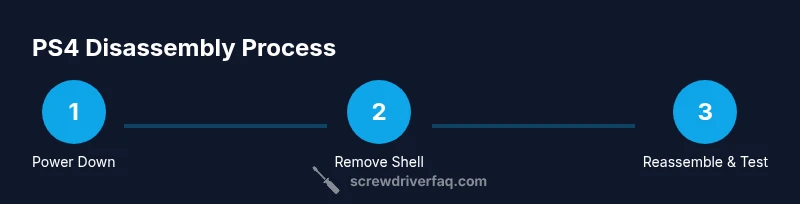
Power down and unplug
Ensure the PS4 is completely powered off and unplugged from any power sources. This prevents electric shock and protects internal components. Place the console on a clean surface and have your screws tray ready before you start.
Tip: Pause after turning off to ensure any residual capacitors discharge; a momentary wait reduces risk. - 2
Remove exterior screws
Use the appropriate Phillips or specialty bit to remove the outer screws around the perimeter. Keep each screw in its labeled area of the tray so you can recall its original position.
Tip: Keep a photo of the screw layout if you’re unsure about placement later. - 3
Separate the shell
Gently pry along the seam with a plastic tool to release the shell without bending or cracking it. Take care around any hidden clips and avoid forcing panels apart.
Tip: Work slowly; if you encounter resistance, re-check for additional screws you might have missed. - 4
Identify and sort fasteners
As you access interior areas, identify the screw types you encounter (Phillips, Torx, or specialty fasteners) and place them into labeled sub-trays. Sorting reduces the chance of cross-threading during reassembly.
Tip: photographing critical areas as you go helps with reassembly. - 5
Access internal components (as needed)
Only remove internal fasteners if you must reach components (e.g., fans, power supply) to accomplish your goal. Keep connectors oriented and labeled, and disconnect with care.
Tip: Do not pull on cables; disconnect them by gently prying the connector latch. - 6
Reattach parts and verify connections
When you’re ready to reassemble, reverse the steps in an orderly fashion. Reconnect any cables, replace shells, and tighten screws evenly to avoid warping.
Tip: Tighten screws gradually in a cross pattern to ensure even pressure. - 7
Test the PS4 after reassembly
Plug the console back in and power it on to verify basic function. If you notice odd noises or failure to boot, re-check recently touched connectors and screws.
Tip: If the unit doesn’t start, double-check the power supply connection and any loose interior screws.
Quick Answers
What screwdriver do I need to open a PS4?
A small precision screwdriver set with interchangeable bits for Phillips and Torx (and possibly tri-wing) is typically needed. Check your model revision and proceed carefully.
Use a precision screwdriver set with Phillips and Torx bits, and adapt to any specialty bits if your PS4 requires them.
Is it safe to open a PS4 for cleaning?
Yes, safely opened if the console is unplugged and you follow static-safe practices. Avoid touching the motherboard and work slowly to prevent damage.
Yes, as long as you unplug it and handle parts carefully with static safety in mind.
Do I need to remove all internal components to access the shell?
Not always. You typically remove just enough fasteners to detach the shell; removing more is only required for deeper repairs.
Usually you only need to remove the shell, not every internal component, unless you’re repairing specific parts.
How should I store screws during disassembly?
Use a magnetic tray or labeled containers to keep screws organized by location. Misplacing screws can cause misalignment during reassembly.
Keep screws in labeled trays or magnets so you know where each screw goes.
Can I reuse old screws after disassembly?
Yes, if they are not stripped or damaged and were originally intended for their specific hole. Reuse careful checks and avoid forcing them in.
If screws are intact and the threads are fine, you can reuse them after inspection.
What if I can’t find the right bit?
Use a universal precision bit set. Do not force a mismatched bit, as it risks stripping the screw or damaging the head.
If the exact bit isn’t available, stop and use the closest match rather than forcing it.
Watch Video
The Essentials
- Identify screw types before you start dismantling.
- Use a magnetized driver and labeled trays for organization.
- Disconnect power and protect electronics with anti-static tools.
- Test the device after reassembly to confirm proper operation.