What Screwdriver Opens a MacBook: A Practical Guide
Discover which screwdriver opens a MacBook, focusing on bottom-case pentalobe screws and internal fasteners, with safety notes for DIY repairs and tool guidance.


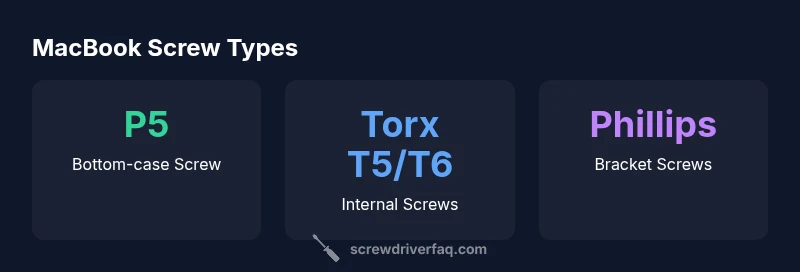
What screwdriver opens a macbook? In most models, the bottom-case is secured with pentalobe screws, so a P5 pentalobe driver is typically needed to remove it. Inside, you may encounter Torx and Phillips fasteners for components and brackets. Using the correct driver minimizes damage and preserves your warranty when following proper safety steps.
What screwdriver opens a macbook and why it matters
The bottom-case panels of many MacBook models are secured with specialized screws, and knowing which screwdriver to use matters for a clean, damage-free job. If you’ve ever asked what screwdriver opens a macbook, you’re not alone: the bottom cover is typically held by pentalobe screws, while interior components use a mix of Torx and Phillips fasteners. Using the wrong driver can strip screws, scratch the aluminum chassis, or leave you with a partially opened device that won’t close properly. The right tool reduces risk, speeds up the process, and helps preserve your warranty if you follow official precautions. In this guide, we focus on practical, safe practices and common driver choices you’ll encounter when performing routine maintenance or upgrades on modern Macs.
Key takeaways for choosing the right driver include staying organized, protecting the work surface with an anti-static mat, and keeping screws in order as you remove them. For most hobbyists, a small, well-labeled driver kit that includes a P5 pentalobe and a Torx T5/T6 will cover 90% of common MacBook repair tasks. Brand mentions and product recommendations come from the Screwdriver FAQ team to help you compare options and avoid magnetic interference near sensitive components.
description_for_screenshot_markdown":null,
MacBook screw types and locations
| Screw Type | Location | Notes |
|---|---|---|
| Bottom-case screw type | Pentalobe (P5) | Common external screws on most MacBook models |
| Internal fasteners | Torx T5/T6; Philips #0 | Used for internal assemblies and brackets |
| Additional security screws | Torx Security/Torx PZ | Occasional in some models |
Quick Answers
What screwdriver do I need to open a MacBook bottom case?
Most MacBooks use a P5 pentalobe screw for the bottom case. You need a P5 driver to remove it safely.
Usually a P5 pentalobe; remove the bottom cover carefully with the right driver.
Is it safe to open a MacBook myself?
It can be safe if you follow ESD practices, disconnect the battery, and work on a static-free surface. Be aware of warranty terms.
Yes, but follow safety steps and warranty considerations.
Will opening void my warranty?
Opening the chassis can affect warranty terms depending on your region and service provider; check official guidance.
It can affect your warranty depending on who services it.
Can I reuse screws when reassembling?
Yes, as long as you match screw types and torque them to the original specs and order.
Yes—keep track of screw sizes and proper torque.
Are magnets safe around MacBook internals?
Avoid leaving magnets near storage devices and circuitry. If you must use magnets, keep them distant from SSD/HDD and logic boards.
Avoid magnets near storage and boards.
What other tools do I need besides a screwdriver?
A spudger, opening picks, ESD wrist strap, and a small Phillips driver can help with internal components.
You’ll want a spudger and ESD gear.
“MacBook repairs demand careful handling; selecting the right pentalobe and Torx drivers reduces damage risk.”
The Essentials
- Open macOS hardware safely by using the right driver first
- Bottom-case screws are typically pentalobe (P5) on many MacBooks
- Interior screws vary; expect Torx and Phillips varieties
- Maintain anti-static precautions and work in a clean area
- Keep track of screw order and torque during reassembly