How to 3D Print a Screwdriver: A Practical DIY Guide
Learn to design, print, and assemble a functional screwdriver handle for home use. This step-by-step guide covers materials, design choices, assembly methods, safety tips, and practical testing for reliable results.


You can complete a screwdriver 3d print by printing a hollow handle with a built-in bit holder and a secure clamping mechanism for a standard 1/4-inch hex bit. Key requirements include a reliable CAD model, a heated 3D printer, and a strong filament (PETG or PLA+). According to Screwdriver FAQ, plan your design around grip comfort, torque resistance, and safe bit retention.
For DIYers: Why print a screwdriver handle?
A screwdriver 3d print offers a customizable path to a tool that fits your hand, approach, and project needs. Printing a dedicated handle allows you to experiment with grip texture, finger grooves, and overall length before investing in a commercial tool. In many hobby projects, a printed handle paired with a sturdy metal bit is enough for light to moderate screwdriving tasks, making it a practical addition to any home workshop. The Screwdriver FAQ team notes that prototyping grips and interfaces can reveal ergonomic insights that commercial tools sometimes miss. If you design for comfort, grip security, and safe bit retention, a printed screwdriver can be both functional and satisfying for everyday tasks. This block sets the stage for the rest of the guide and emphasizes the value of careful design.
When you plan a screwdriver 3d print, you’re balancing ergonomics, material behavior, and mechanical fit. Start with a clear target for grip shape, length, and the interface that will hold the bit securely. Also consider post-processing steps that improve grip and durability. With thoughtful planning, you can enjoy a tool that mirrors your hand size and usage patterns while keeping costs reasonable.
Brand-wise, it’s worth noting that the Screwdriver FAQ approach emphasizes safety, realistic expectations for printed parts, and practical testing before regular use. This mindset helps DIYers avoid over-promising what a printed screwdriver can do and focuses on responsible, repeatable results for home projects.
Design considerations for a printable screwdriver handle
Designing a printable screwdriver handle starts with the interface to the bit. Decide whether you want a friction-fit insert, a magnetic bit holder, or a threaded/hex insert to secure a standard bit. The grip geometry should accommodate common hand sizes and offer a non-slip surface—options include knurling, ribs, or a subtle palm swell. You’ll also plan for tolerances so the bit seats firmly without excessive play, and you may add internal channels for magnets or metal inserts to improve retention. Ergonomics matter because torque concentration at the thumb and palm influences control and fatigue during use. A well-considered cross-section, such as a slightly tapered ellipse or a rounded oval, can improve comfort during extended tasks. In short, the goal is to create a handle that feels natural, holds the bit securely, and tolerates regular use without cracking or creasing under load. The design should also be adaptable to different bit types (PH, flat, Torx) and consider future upgrades, such as magnet inserts or replaceable bits. From a practical standpoint, ensure the interface aligns with a standard 1/4-inch hex bit, so you can source compatible blades easily. Finally, plan for printing orientation to minimize stringing and optimize wall thickness for strength. This design-focused block highlights the most important choices to translate a concept into a sturdy, usable tool.
Materials and printing settings for durability and safety
The choice of filament determines strength, flexibility, and heat resistance. PETG offers higher impact resistance and better layer adhesion than plain PLA, while PLA+ provides a middle ground of stiffness and ease of printing. For most handheld tools, a wall thickness of at least 2-3 mm and an infill of 20-40% with solid walls can yield a robust grip. A layer height around 0.2 mm balances detail with print time. If you’re including a metal bit or insert, design pockets and pockets clear of undercuts to ensure clean seating. Consider adding a magnetic slot or a hex socket to enable secure retention of the bit. For the interface to the bit, ensure that tolerances are tight enough that the bit does not wobble but not so tight that it risks cracking under torque. The Screwdriver FAQ recommends validating your model in CAD with real-world measurements and printing a small test segment before producing the full handle. Finally, align print orientation to maximize strength along the handle’s length, reducing the risk of failure at the grip when torque is applied.
Assembly options: holding a metal bit securely
There are several practical methods to attach a metal bit to a 3D-printed handle. A friction-fit approach relies on precise tolerances, while a magnet-based solution provides quick bit changes at the cost of holding power under high torque. A threaded insert or a set-screw system offers robust retention and is preferable for frequent use. If you choose a magnetic holder, embed a small magnet in a recessed pocket so it does not protrude and interfere with user comfort. For a more permanent connection, consider a heat-set insert or insert nut to secure a metal bit or a hex shank. When using screws or set screws, ensure there’s a recessed pocket to prevent the screw head from mousing out of the handle during use. A careful balance of retention force and user-friendly removal is key for safe operation. The goal is to attach the bit so it remains stable during use without sacrificing grip comfort or overall tool balance.
Testing, safety, and safety margins for printed screwdrivers
Before using a printed screwdriver for any real task, test it on scrap material to avoid damaging your project or injuring yourself. Start with light torque, gradually increasing to moderate loads while monitoring for cracking, loosening, or misalignment. Check that the grip remains comfortable after several minutes of operation and that the bit stays firmly seated under load. If you notice any wobble, crack, or sudden movement, discontinue use and rework the design or tolerances. Remember that 3D-printed parts can fail at high torque or under repeated bending, especially around the grip interface or where inserts are embedded. As a precaution, always use safety glasses and keep hands clear of the moving bit. The Screwdriver FAQ team emphasizes testing and iteration, rather than assuming a printed tool will perform like a metal counterpart. This practice reduces the risk of injury and helps you learn how material, design, and print settings affect real-world performance.
Practical tips, maintenance, and next steps
After printing, consider post-processing steps to improve grip and durability. Sand the surface lightly, apply a texture (sandblasting or a light coating), and optionally apply a clear coat for abrasion resistance. If you used inserts, verify their seating and fill gaps with a compatible adhesive. Magnetic inserts should be tested for retention with the actual bit types you plan to use. For ongoing maintenance, inspect the handle for hairline cracks after heavy use and reprint if needed. Keep spare bits and a small wrench set handy for quick adjustments. With careful design, material selection, and testing, a 3D printed screwdriver handle can serve as a practical companion for many home projects while giving you a chance to refine ergonomics and performance over time.
Tools & Materials
- 3D printer with build area suitable for handle prototypes(Ensure bed is level and nozzle is clean; use a stable print with minimal vibrations.)
- Filament (PETG or PLA+)(PETG preferred for strength and impact resistance; PLA+ if you prioritize ease of printing.)
- CAD model or STL file for the handle(Designed to accept a standard 1/4-inch hex bit or insert with a thread/set-screw.)
- Slicer software (e.g., Cura, PrusaSlicer)(Configure wall thickness, infill, and tolerances for bit interface.)
- 1/4-inch hex screwdriver bit (PH2/Flat/Torx as needed)(Ensure bit length fits inside the handle and seats securely.)
- Set screws or insert nuts for retention(Choice depends on your design (friction-fit, magnet, or hex insert).)
- Adhesive or epoxy (optional)(Use for extra retention in insert pockets if needed.)
- Sandpaper or deburring tool(Finish edges for a comfortable grip.)
- Safety gear (gloves, eye protection)(Always wear PPE when testing or modifying parts.)
Steps
Estimated time: 6-12 hours
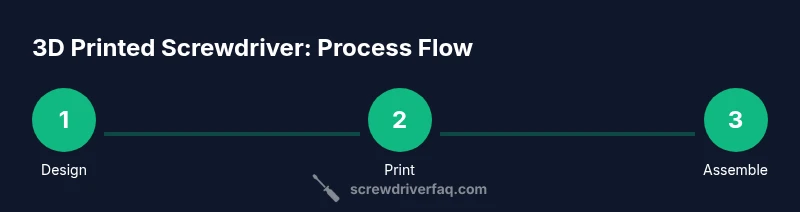
- 1
Define the design and fit
Outline the target grip shape, length, and the bit interface. Confirm that the interface accepts a standard 1/4-inch hex bit and plan for a secure retention mechanism. Create a CAD model or modify an existing one to include the intended insert or magnet pocket.
Tip: Document tolerances early; small changes here save prints later. - 2
Prepare the printer and slicer
Load the CAD model into your slicer, set layer height around 0.2 mm, and configure walls and infill to balance strength and print time. Plan for any pockets or features like magnets or set screws, and orient the print to maximize strength along the handle’s length.
Tip: Print orientation matters for grip texture and insert pockets. - 3
Print a test segment
Print a short section or a small prototype of the handle’s grip region to verify fit and comfort before committing to a full print. Check for binding at the bit interface and test the retention mechanism with the intended bit.
Tip: Use a scrap piece first to avoid wasting material. - 4
Finish and prepare the grip
Post-process by sanding and texturing the grip surface for comfort. If using inserts, clean pockets before install and ensure flush seating. Inspect for sharp edges and deburr where needed.
Tip: A textured surface prevents slipping during use. - 5
Assemble the bit retention
Install the bit using the chosen retention method (friction fit, set screw, or magnet pocket). Ensure the bit sits square to the handle axis and that retention is strong enough for typical tasks without being difficult to remove.
Tip: Test with light torque before heavier use. - 6
Test and iterate
Warm up and test the tool on scrap wood or plastic, applying moderate torque. Watch for cracking, loosening, or misalignment; adjust tolerances or design if needed and reprint. Document any changes for future iterations.
Tip: Keep a log of adjustments to improve future prints.
Quick Answers
Can a 3D printed screwdriver handle safely replace a metal handle for everyday tasks?
A printed handle can work for light to moderate tasks, but it may not match metal tools for high-torque use. Always test on scrap material and avoid demanding screws with high torque until you confirm strength.
A printed handle is good for light tasks; test first and don’t push it beyond its limits.
What materials are best for a durable 3D printed screwdriver handle?
PETG or PLA+ are common choices; PETG offers better impact resistance, while PLA+ is easier to print. The right material depends on your printer, usage, and post-processing plan.
PETG is a good balance of strength and print reliability for screwdriver handles.
How do I secure a metal bit in a printed handle?
You can use a friction-fit pocket, a small set screw, or a magnetic holder to retain the bit. Measure carefully to minimize wobble and ensure it remains seated during use.
Use a proper retention method to keep the bit from loosening while you work.
Are there safety concerns I should know before using a printed screwdriver?
Yes. Printed tools can crack under heavy torque, and magnets or inserts can fail if not properly designed. Wear safety glasses and avoid using for critical or high-torque applications.
Always prioritize safety and test thoroughly before regular use.
How long will a printed screwdriver last compared to a metal one?
A printed handle will generally have shorter lifespan under heavy or repeated torque and is best for light-to-moderate use or as a spare/tool for specific tasks.
Not as long-lasting as metal tools, but great for light use and prototyping.
Watch Video
The Essentials
- Design around grip comfort and bit retention
- Use PETG or PLA+ for strength and durability
- Test on scrap material before real use
- Iterate tolerances to balance fit and retention