PS4 Controller Screwdriver Guide: Safe DIY
Learn to safely open and repair your PS4 controller with a precision screwdriver set. Step-by-step guidance, tools, and safety tips for DIY enthusiasts.


Open and service a PS4 controller safely with a precision screwdriver set, a spudger, and a static-safe workspace. Power down, remove the battery connector if possible, and follow a careful step-by-step approach to avoid damaging components. This quick guide outlines the essentials.
Why a Proper Screwdriver Matters for PS4 Controller
Choosing the right precision tool matters because PS4 controller screws are small and can be easily cammed or stripped. Using the wrong bit or a blunt tip can mar the screw head and require drilling or more invasive repair. According to Screwdriver FAQ, a magnetized Phillips head paired with a micro-sized bit and, when required, a tri-wing or Torx driver significantly reduces risk. A good setup also reduces damage to delicate internal ribbons and connectors, helping preserve the controller's resale value and longevity.
Tools and Materials for PS4 Controller Repair
A well-prepared toolkit makes the difference between a smooth repair and a snapped screw. You should assemble a compact precision screwdriver set that includes a Phillips bit in the PH00 or PH000 range, a magnetized tip, and, if needed, a tri-wing or Torx bit for non-phillips screws. Add a plastic spudger, a microfiber cloth for cleanup, an anti-static mat or wrist strap, and small labeled containers to organize screws. Optional items include tweezers, rubbing alcohol for cleaning contacts, and a magnifying glass for tiny components.
Safety Precautions Before You Start
Safety comes first when working with electro-mechanical devices. Disconnect the controller from any charging source and set it on an anti-static surface. Ground yourself before touching internal components to avoid static discharge. Handle the battery connector and ribbon cables with care, and avoid prying on delicate shells or flex cables. If you are unsure about any step, stop and reassess; rushing increases the risk of physical damage or short circuits.
Understanding Internal Layout and Tool Choice
DualShock-style controllers house delicate flex cables and a compact PCB. The majority of screws are tiny and sit in recessed points that require precision bits. Before you start, inspect the shell screws' type and plan your bit set accordingly. A common approach is to use a PH00/PH000 for the majority of screws, with a tri-wing or Torx bit for any non-phillips fasteners. Always test fit bits on an unused screw head to confirm compatibility.
Maintenance and Care after Reassembly
After reassembling, gently reseat the shell, replace any clips, and reconnect the battery connector only after the shell is aligned. Power up the controller outside the console to confirm basic functionality before full testing. Wipe down surfaces with a dry microfiber and ensure there are no loose screws or rattling parts. Store tools in a labeled case to simplify future maintenance.
When to Seek Professional Help
If you notice persistent stick drift, unresponsive buttons, or the shell refuses to seat properly after reassembly, professional service may be warranted. Self-repair can void warranties or create safety hazards if components are damaged. For critical diagnostics or battery-related work, consult authorized service channels or veteran DIY technicians.
Tools & Materials
- Precision Phillips screwdriver (PH00/PH000) with magnetized tip(Choose 0.8–1.2 mm shaft depending on screws)
- Spudger or plastic opening tool(Non-conductive, gentle prying between shell clips)
- Anti-static mat or wrist strap(Ground yourself to prevent static discharge)
- Tri-wing or Torx driver (if needed)(Only if your model uses non-phillips screws)
- Tweezers and a small labeled screw tray(Keep parts organized during disassembly)
- Isopropyl alcohol (70%) and lint-free cloth(Used for cleaning contacts after component removal)
Steps
Estimated time: 45-60 minutes
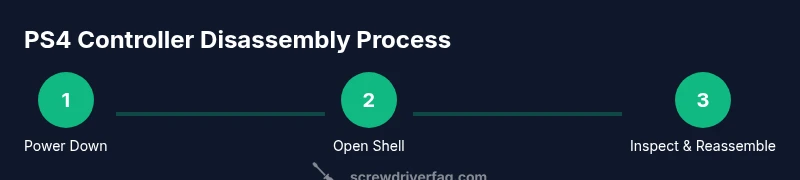
- 1
Power down and prep workspace
Power off the PS4 and unplug all cables. Place the controller on a non-slip surface and ground yourself with an anti-static strap before touching internal parts. This prevents accidental shorts and keeps the shell clean.
Tip: Use a static-free mat and label nearby containers for screws. - 2
Remove back screws and separate shell
Use the appropriate precision bit to remove the back cover screws. Keep the shell aligned while prying the edges gently with a plastic tool to avoid cracking the housing.
Tip: Work slowly and keep the screws in labeled sections. - 3
Disconnect the battery connector
Gently lift the battery connector after confirming there is no power where you are working. Disconnecting power reduces risk when handling the PCB and flex cables.
Tip: Do not tug cables; lift connectors straight up using fine tweezers. - 4
Access the internal components
Carefully separate the front shell from the back while supporting the internal assembly. Identify the PCB, battery, and ribbon cables; note their paths for reassembly.
Tip: Take a few reference photos before removing components. - 5
Inspect screws and replace if needed
Check each screw for wear or stripping. If a screw head is damaged, replace it with a compatible size to avoid future stripping and ensure secure fastening.
Tip: If a screw strips, stop and use a grip aid or replacement screw rather than forcing it. - 6
Reassemble and test
Reposition the shell, reconnect the battery if removed, and test basic buttons outside the console. Once confirmed, reinsert into the console and perform a full functional test.
Tip: Tighten screws in a diagonal pattern to ensure even pressure.
Quick Answers
What screwdriver bits do I need for a PS4 controller?
Most PS4 controllers use small Phillips screws; some models may require tri-wing or Torx. Check your model’s screws and prepare a small precision bit set.
Most PS4 controllers use small Phillips screws; some models may require tri-wing or Torx. Check your model before starting.
Is it safe to open a PS4 controller?
Yes, with care and proper static protection. Always power down, disconnect any battery connections, and work on a non-conductive surface to minimize risk.
Yes, with care and static protection.
Will disassembly void the warranty?
Opening the shell may void the manufacturer’s warranty. If the controller is still under warranty, consider contacting Sony support before attempting repairs.
Opening the shell can void warranty; check coverage first.
How long does a PS4 controller repair take if nothing is wrong?
A simple screw-tightening and shell reseating typically takes under an hour. More involved repairs like battery replacement can take longer, depending on experience.
Usually under an hour for basic tasks, longer for complex fixes.
What should I do if a screw strips?
Do not force the screw. Use a screw extractor if necessary, or replace the screw with an appropriately sized one to avoid damage.
If a screw strips, stop and consider a replacement screw rather than forcing it.
Do I need an anti-static wrist strap?
An anti-static wrist strap or mat is strongly recommended to prevent electrostatic discharge from damaging internal components.
Yes, use anti-static protection.
Watch Video
The Essentials
- Power down and prep safely
- Use the correct precision bits
- Label screws and stay organized
- Reassemble carefully and test
- Maintain a static-free workspace