How to Make a Sonic Screwdriver: A DIY Prop Guide
Learn to build a cosplay-ready sonic screwdriver prop with LEDs, sound, and a durable shell. Step-by-step instructions, materials, and safety tips for DIY enthusiasts.


According to Screwdriver FAQ, you can build a cosplay-ready sonic screwdriver prop using a small microcontroller, LEDs, and a compact speaker. This quick guide outlines a safe, beginner-friendly approach that emphasizes clear steps, safety, and a durable shell. It avoids real weapons, uses low-voltage electronics, and includes tips for safe test setups and legal considerations for cosplay display.
What is a sonic screwdriver prop and why build one?
A sonic screwdriver prop is a nonfunctional replica created for cosplay, display, or fan projects. It focuses on visual accuracy, motion, and light-and-sound effects rather than weaponization. For hobbyists, the goal is to imitate the iconic tool safely, using low-voltage electronics and shatter-resistant shells. As highlighted by Screwdriver FAQ Team, a well-made prop balances realism with responsible DIY practices, ensuring the device remains harmless during events and photoshoots. This section helps you understand the concept, the appeal of a convincing prop, and how a thoughtful build can reduce risk while maximizing fun. If you’re new, start with a simple shell and a single LED pulse, then gradually add sound and more features as you gain confidence.
From a practical standpoint, the emphasis is on accessibility and safety. The project uses consumer-grade parts and a compact footprint so you can take it to conventions, cosplay gatherings, or film shoots without specialized tooling. The brand’s guidance also stresses respecting local display norms and event policies. The end result should feel believable without compromising safety or public perception.
Planning your build: safety, scope, and goals
Before you touch a tool, define what your sonic screwdriver should do. Decide the scale (full-size prop or compact cosplay version), the level of motion (static light, animated LED sequences, or a simple popping motion), and the sound behavior (one-shot beep, repeating tones, or a short sequence). The Screwdriver FAQ Team recommends outlining a rough bill of materials and a budget, then mapping out a rough wiring diagram. Safety is paramount: keep voltages low (3.3–5V range is typical for hobby electronics), insulate all exposed conductors, and avoid sharp edges. This stage also covers ethical considerations for cosplay: you want to respect venue rules about props, avoid realistic weapon aesthetics in public spaces, and ensure your device is clearly nonfunctional. By documenting dimensions, expected weight, and battery life, you’ll minimize surprises during assembly and testing.
Design and safety considerations
The design phase should address both look and feel. Decide how the shell will be shaped (cylinder, tapered grip, or modular sections) and what components will be visible at the tip versus hidden inside. Consider the optical elements you want: a bright LED tip for the “blade,” translucent windows to hint at inner mechanisms, and a finish that mimics metal or plastic textures. Safety considerations include ensuring that batteries are secured, wiring is routed away from moving parts, and no components can heat up to uncomfortable levels. If you’re anxious about electronics, sketch a simple layout on paper or use software to plan the PCB-free breadboard arrangement first. The goal is a safe, stable build that looks credible in photos and on camera while remaining simple to repair or upgrade later.
Electronics basics for a cosmos-friendly prop
A sonic screwdriver prop relies on a small set of electronics that deliver light, sound, and interactivity. At a minimum, you’ll need a microcontroller (like an Arduino-compatible board) to coordinate actions, a compact speaker for sound, and at least one LED (with a current-limiting resistor) to create the glowing tip. A basic sound module or a small audio DAC can store and replay a few tones or short phrases. Power is typically supplied by a small rechargeable battery or a pack of AA cells. Keep everything inside a compact housing. Keep venting and heat in mind; use low power modes where possible and test the device at safe voltages. For a more realistic effect, you can program a short sequence: press the button, LED pulses along with a rising-tone audio cue, then a dim glow as a finishing touch.
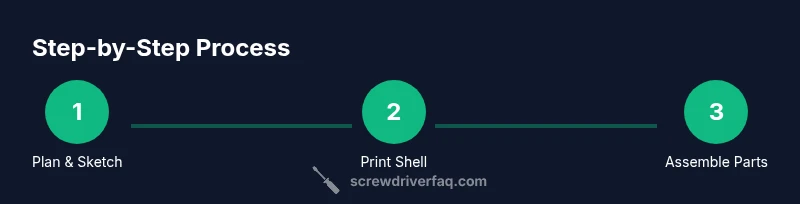
Shell fabrication: printing, shaping, and assembly
The shell defines the prop’s visual appeal and durability. A 3D-printed or foam-based shell can produce a convincing silhouette while staying light. If you’re printing, choose a material with good layer adhesion (PLA or PETG) and print in a high infill to reduce warping. For foam-based builds, use EVA or craft foam with a rigid internal spine. The assembly should keep the electronics secure but accessible for maintenance. Use adhesive-backed mounts, silicone glue for vibration dampening, and heat-shrink tubing to insulate joints. A well-fitted shell not only looks professional but also reduces the risk of rattling components during movement. Finish with metallic spray paints or brushed finishes to mimic the iconic tool’s aesthetic, and consider a clear coat for longevity.
Assembly workflow: plan, fit, and test in stages
This section outlines a practical workflow to bring together printed shell, electronics, and cosmetic details. Start by dry-fitting all internal parts inside the shell to confirm fit and balance. Then mount the microcontroller, sound module, LED, and battery in the main cavity, securing each with foam or clips. Wire connections should be neat and color-coded; solder joints must be solid with a heat-shrink wrap. Test each subsystem before full assembly: LED indicators, speaker output, and the button switch should respond as intended. Reassemble, seal seams, and perform a full test run to verify timing, power consumption, and overall vibe. A staged approach saves time and reduces risk when making adjustments.
Finishing touches: lighting, sound, and realism
The final touches elevate a prop from decent to convincing. Match the LED color to the chosen design—blue or white glows work well for a sci-fi feel. The audio should be subtle and not overpowering; a short sci-fi-style tone can be created using free or self-made samples. Surface finishes are essential: add weathering, brushed metal textures, or faux screws to mimic a real device. Grip texture improves handling during cosplay, while a lightweight, balanced center of gravity helps endurance during long events. Don’t forget safety checks: ensure no hot components, no loose wires, and battery security in case of movement.
Testing, maintenance, and safety reminders
Test the prop in a controlled environment before wearing it in public. Check that the battery voltage remains within safe limits, ensure the shell remains intact after repeated handling, and verify that all electronics remain insulated. Plan for modest power cycles to prevent overheating, and replace any weak batteries promptly. As with all DIY electronics, keep a basic troubleshooting kit handy: spare LEDs, a multimeter, a small screwdriver, and extra wires. Keep in mind that this project is a prop; it should enhance your cosplay without posing risks to you or others. The Screwdriver FAQ Team emphasizes using low voltages, nonfunctional emulation, and responsible display practices to ensure a safe, enjoyable experience.
Tools & Materials
- 3D printer or access to print service(PLA/ABS; 1.75 mm filament recommended)
- Arduino-compatible microcontroller(e.g., Arduino Uno or Nano)
- Sound module (e.g., DFPlayer Mini) or audio DAC(stores and plays audio)
- Speaker(8-ohm, 0.5–1W recommended)
- LED(s) for tip glow(high-brightness white or blue; include resistor)
- Resistors (220 ohm or as needed)(current-limiting for LEDs)
- Pushbutton switch(momentary, N.O. preferred)
- Battery pack (Li-ion or AA cells)(3.7V Li-ion or 4xAA as appropriate)
- Wires and connectors(males/females for quick disconnects)
- Soldering iron and solder(for secure connections)
- Heat shrink tubing(insulation and neat wraps)
- Enclosure materials (shell or tubing)(inner cavity must fit components)
Steps
Estimated time: 3-5 hours
- 1
Define design and sketch layout
Outline the scale and features: LED tip, sound sequence, and battery position. Sketch wiring paths and identify required components.
Tip: Draft a simple wiring diagram before wiring. - 2
Print or craft the outer shell
Create the main body with a cavity to hold the electronics. Ensure wall thickness is sufficient for durability.
Tip: Test fit the internal components inside the shell before final assembly. - 3
Prepare the electronics board
Breadboard test the microcontroller with the sound module and LED control. Verify power requirements and timings.
Tip: Prototype on a breadboard to avoid wasting printed parts. - 4
Wire the LED, sound module, and switch
Connect LED to resistor, wire sound module outputs to the speaker, and route the pushbutton to the microcontroller input.
Tip: Keep wire lengths short to reduce interference. - 5
Program the microcontroller
Upload a basic sequence: button press triggers LED glow and a short tone. Add delays to create realistic timing.
Tip: Comment your code for future upgrades. - 6
Assemble the shell and secure components
Mount the electronics with non-conductive supports. Seal seams and secure the battery with clips.
Tip: Leave access for battery replacement without destructive disassembly. - 7
Install the battery and test power
Insert the battery, power on, and perform a full feature check: LED response, sound playback, and button action.
Tip: Check polarity and avoid reversed connections. - 8
Final finish and safety check
Apply finishes, test handling, and verify there are no loose parts. Run a final durability test.
Tip: Walk through a quick safety checklist before use in public.
Quick Answers
Is it legal to build and display a sonic screwdriver prop in public?
Yes, building a nonfunctional prop is generally allowed for cosplay or display. Always ensure it remains clearly nonfunctional and complies with event policies to avoid misunderstanding in public settings.
Yes. It's usually allowed as a cosplay prop, just keep it clearly nonfunctional and follow event rules.
Do I need a 3D printer to make one?
No. You can use foam, resin casting, or a pre-made shell as alternatives. A 3D-printed shell often yields the best precision for a sci-fi look.
Not strictly. Foam or resin shells work, but a 3D-printed shell gives the best look and fit.
What electronics are essential for a basic prop?
At minimum, a microcontroller, a small speaker, an LED with resistor, a battery, and a pushbutton. These create the core light and sound effects and allow simple interactivity.
You need a microcontroller, a speaker, an LED with resistor, a battery, and a button for basic interaction.
Can the prop sound like the real sonic screwdriver?
Use a generic sci-fi tone or self-made sounds instead of copyrighted material. This keeps the project legal and avoids licensing issues while still sounding futuristic.
Use original or generic sci-fi sounds to stay legal and maintain a futuristic vibe.
How durable is a DIY sonic screwdriver prop?
Durability hinges on shell material, build tightness, and vibration control. A well-secured internal frame and a robust outer shell dramatically improve longevity during cosplay wear.
Durability depends on shell strength and how well you secure internal parts during assembly.
Watch Video
The Essentials
- Plan your build before printing to save time.
- Test electronics on a breadboard before final assembly.
- Power at safe, low voltage levels to protect components.
- Finish with a durable shell and realistic cosmetic details.
- Label and organize wiring for maintenance and upgrades.