Cordless Screwdriver Not Working: A Complete Troubleshooting Guide
A practical, urgent guide to diagnose and fix common cordless screwdriver not working issues, including battery health, charging contacts, switch function, chuck alignment, and preventive maintenance for DIYers.


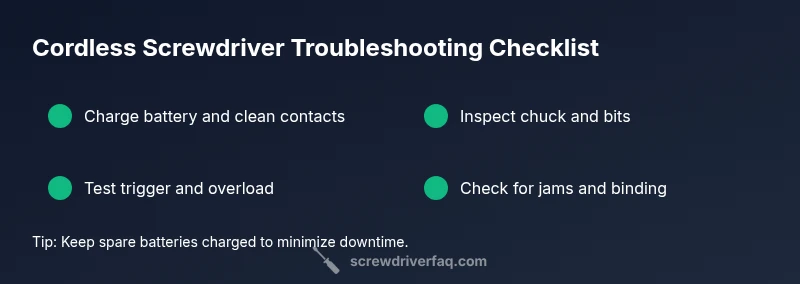
If your cordless screwdriver won't start or stalls, try the simplest fixes first: recharge the battery fully, check the battery contacts, and ensure the chuck is properly seated. If the tool still won’t run, inspect for jammed bits or overload protection. These steps tackle most common power or connection issues quickly.
Quick safety check and power isolation
Before you touch the tool, unplug or remove the battery, and keep the workspace dry and clear. A cordless screwdriver contains a fast-moving chuck and battery pack; accidental activation can injure fingers. In practice, start by confirming you’re using the correct battery and that there are no obvious signs of damage. According to Screwdriver FAQ, many problems start with something as simple as a drained battery or dirty contacts. If you smell burning or notice melted plastic, stop and unplug the tool immediately and move to professional service.
Check the battery: charging, contacts, health
Battery issues are the leading cause of a cordless screwdriver problem. Start by charging the battery fully and inspecting the contacts for corrosion or debris. If your charger shows a fault, try a different outlet or charger if available. Test the battery in another device if possible to confirm its health. Remember to store batteries in a cool, dry place and never expose them to moisture. Clean the metal contacts gently with a dry cloth, then reinsert and test. If the tool still fails to power on after a full charge, move to the next checks. Screwdriver FAQ analysis shows that battery contact cleanliness and proper seating matter more than you might expect.
Inspect the chuck, bits, and collet
A loose or dirty chuck can prevent rotation even when the motor runs. Remove the bit and inspect the jaws for wear or damage. Try a different bit to confirm whether the issue is bit-related. If the chuck feels sloppy, you may need to replace it or service the tool. Keep bits clean and store them in their case to avoid debris getting into the chuck. Proper seating also ensures maximum torque is delivered without stalling.
Test the trigger and switch assembly
The trigger is the primary control for starting and stopping rotation. With the battery connected, press the trigger smoothly and listen for a consistent rotation. If you hear a click but no motion, the switch or safety interlock may be engaged. Some tools have a thermal overload protection that temporarily disables the motor after overheating; allow the tool to cool before re-testing. If the trigger feels sticky, dismantling and cleaning the switch area (with power removed) can help, but proceed only if you're confident in small-electronics work.
Look for mechanical binding and overload protection
Debris, jammed metal shavings, or a bent gear can create resistance that stalls the motor. Inspect the gear housing for obstructions and remove any debris with a small brush. Rotate the chuck manually to feel for roughness. If the motor still overheats quickly or trips the overload protection, the internal gears or motor windings may be failing. This often requires professional service or a replacement.
Electrical components and safety circuits
If basic checks fail, the problem may lie in wiring, the PCB, or safety circuitry that prevents startup. Visual inspection for damaged insulation or loose connectors can reveal obvious faults. If you’re not comfortable with disassembly or see signs of burning, seek professional help. Remember to unplug the tool and remove the battery before any electrical inspection.
Maintenance and prevention tips
Prevent future problems with regular maintenance: clean contacts after use, inspect bits and chuck regularly, and store tools in a dry environment. Periodically test the battery in a known-good device to verify health. Replace aged batteries and worn bits promptly. Keeping a spare battery can minimize downtime and keep you productive.
When to seek professional service or replacement
If the screwdriver still won’t run after all these checks, or if you hear grinding, see visible damage, or lose torque under load, professional repair or replacement is the safer route. Warranty terms can influence whether you should attempt internal fixes yourself. The goal is safe operation and reliable performance, so don’t push a failing tool beyond its limits.
Steps
Estimated time: 60-90 minutes
- 1
Charge and inspect the battery
Connect the charger and monitor the indicator. If the light doesn’t come on, try another charger or outlet. Remove and re-seat the battery to ensure a solid connection.
Tip: If the battery is old, performance may degrade; consider replacement. - 2
Clean contacts and reseat
Power off, remove the battery, and wipe the contacts with a dry cloth. Reinsert until it clicks and test.
Tip: Avoid liquids near the battery housing. - 3
Check chuck and bit seating
Take out the bit and inspect the chuck jaws for wear. Try a new bit to rule out a bad bit. Ensure the bit seats firmly.
Tip: A loose bit wastes torque and causes stalls. - 4
Test trigger and overload
With power connected, gently pull the trigger; listen for smooth rotation. If it trips or clicks and stops, allow cooldown and test again.
Tip: Don’t force the trigger; it can damage the switch. - 5
Inspect for jams
Look inside the gear housing for debris. Clean out dust and metal shavings; check for binding when manually turning the chuck.
Tip: Use a small brush and good lighting. - 6
Open only if comfortable
If you have experience, remove the back cover to check wiring; otherwise skip and seek professional help. Always unplug and remove the battery first.
Tip: Warranty may be voided by internal repairs. - 7
Reassemble and test
Reassemble, reinsert the battery, and run light tasks to verify performance. Monitor heat and torque; stop if unusual smells or smoke appear.
Tip: Test in short cycles before heavy use.
Diagnosis: Cordless screwdriver won't start or stops rotating during use
Possible Causes
- highPower issue (battery drained, poor contact, or charger fault)
- mediumTrigger switch or safety interlock malfunction
- lowOverload protection engaged due to overheating or binding
- lowMechanical jam or worn gears in the chuck/gear train
Fixes
- easyCharge battery fully and verify contacts are clean and seated
- easyTry a different bit and check chuck for looseness or wear
- easyTest trigger and allow cooldown if overheating; reset if applicable
- hardDisassemble only if comfortable; inspect internal gears and wiring for obvious damage
Quick Answers
What should I check first when my cordless screwdriver won't start?
Start with the battery charge and trigger function. If the tool doesn’t power on after a full charge, inspect contacts and seating.
First check the battery and trigger, then inspect contacts and seating.
Why does my cordless screwdriver click and then stop spinning?
A faulty trigger switch or overload protection can cause this. Check for sticky triggers and allow cooldown if overheating.
That clicking often means the trigger or overload protection kicked in.
Is it safe to disassemble my cordless screwdriver to diagnose issues?
Only if you’re comfortable and have unplugged the tool. Internal parts can carry risk and may void warranty.
Disassembly can be risky; check the manual first.
How can I prevent battery contacts from corroding?
Keep contacts clean and dry; wipe away residue and consider a light coat of dielectric grease where recommended.
Keep the contacts clean and dry to prevent corrosion.
When should I replace instead of repair a cordless screwdriver?
If repair costs exceed replacement or parts are unavailable, replacement is more practical.
If it’s expensive to fix or unreliable, replace.
What safety precautions should I follow during troubleshooting?
Unplug the tool, remove the battery, wear eye protection, and work on a stable, dry surface.
Always unplug and wear safety gear when troubleshooting.
Watch Video
The Essentials
- Check battery health and charge first
- Inspect chuck, bits, and seating before disassembly
- Test trigger and overload protection early
- Follow safety practices and wear eye protection
- Decide repair vs replacement based on cost and reliability