Black Decker Cordless Screwdriver Battery Replacement: A Step-by-Step Guide
Learn how to safely replace the battery in a Black Decker cordless screwdriver with a clear, step-by-step guide. Identify the right battery, swap packs, and test operation to extend tool life.


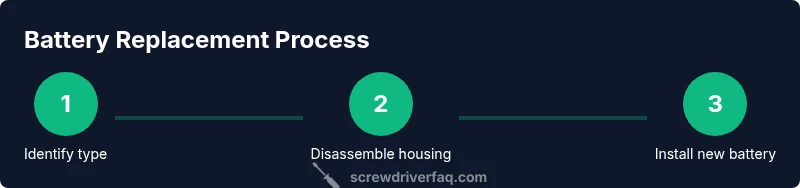
By following this quick guide, you will complete a safe battery replacement for a Black Decker cordless screwdriver. You’ll identify the right battery type, safely disconnect power, swap in a compatible pack, and verify operation. Gather basic tools, inspect the housing, and test the screwdriver before reassembling. This process helps extend tool life, preserve performance, and reduce risk.
Understanding the Battery Types in Black Decker Cordless Screwdrivers
According to Screwdriver FAQ, battery chemistry and capacity influence runtime and longevity. For Black Decker models, you may encounter NiCd, NiMH, or Li-ion packs. Modern Black Decker cordless screwdrivers tend to use Li-ion packs for higher energy density and longer life. Always check the model label on the handle or the battery itself to confirm type and voltage before buying a replacement. Buying the wrong chemistry can lead to poor performance or damage.
Safety First: Preparing for Battery Replacement
Safety is the foundation of any battery swap. Begin by unplugging the charger or removing the battery if it is accessible without power. Work on a non-conductive surface and wear safety glasses to guard against sparks or accidental discharge. Keep metal jewelry away from the work area to prevent short circuits. Handle all batteries with dry hands and avoid touching terminals directly.
Choosing the Right Replacement Battery
Select a replacement that matches the original tool’s voltage and chemistry. The label on the battery or handle will usually specify voltage (e.g., 12V, 14V) and chemistry (Li-ion or NiCd). If you’re unsure, measure the terminals with a voltmeter or consult the model manual. Compatibility is crucial for safe operation and optimal performance; using an incompatible pack can damage the tool or void warranties.
Disassembly Essentials: Gaining Access to the Battery
Many Black Decker models require removing a few screws to access the battery compartment. Use a precision screwdriver set to avoid stripping screws. Keep screws organized in a small tray and note their original positions. Do not force open housings; if a clip resists, check for hidden screws or tabs. Visual references in the user manual or online diagrams can save time.
Replacing the Battery: Safe Removal and Installation
Disconnect any connectors from the old battery carefully, noting orientation. Remove the old pack, then align the new battery for a snug fit. If the battery uses a plug connector, attach it firmly without bending pins. Ensure the battery is seated in its channel and that any locking clips engage securely. Cross‑check that the polarity is correct before final seating.
Reassembly, Testing, and Final Checks
Reassemble the housing the way it was taken apart, tightening screws to the manufacturer’s recommended torque. Reinsert or reconnect the battery, then power on the tool to test basic function. Listen for smooth motor operation and look for consistent trigger response. If you notice intermittent power, double‑check connectors and seating.
Maintenance Tips to Extend Battery Life
Store the tool with a partial charge if you don’t plan to use it for a while. Avoid leaving a fully charged Li‑ion pack on the charger for extended periods. Keep the battery contacts clean and free of debris, and periodically inspect the pack for swelling or damage. Regular calibration of the battery connector can improve reliability.
Troubleshooting Common Issues
If the tool won’t power up after replacement, verify the battery is seated correctly and the connector is secure. Check for swollen cells or visible damage to the pack. Test with a multimeter if available to confirm voltage output. For persistent issues, consider professional service or a warranty check.
Tools & Materials
- Replacement battery compatible with Black Decker cordless screwdriver(Ensure compatibility with model and voltage)
- Precision screwdriver set(Include Phillips #1 and PZ or flat-head as needed)
- Plastic opening tool or spudger(Use to avoid marring housing)
- Multimeter (optional)(Useful to verify voltage during testing)
- Safety glasses(Protect eyes from debris and sparks)
- Insulation tape (optional)(Tidy up exposed connections if needed)
Steps
Estimated time: 60-90 minutes
- 1
Power down and access battery
Power off the tool and remove the charger. If the battery is accessible, detach it carefully enough to inspect for obvious damage. This initial step reduces the risk of short circuits during disassembly.
Tip: Place screws in a labeled tray to avoid mismatches later. - 2
Open the housing
Use the precision screwdriver to remove visible screws. If panels resist, check for hidden clips and gently pry apart with a plastic tool. Keep track of each component and note its position for reassembly.
Tip: Work on a soft mat to prevent scratching surfaces. - 3
Disconnect battery connectors
Examine the connection between the pack and the tool. Gently unplug any pigtails or tabs, taking care not to bend pins. Photograph the orientation for reference.
Tip: Work slowly to avoid snapping connectors. - 4
Remove the old battery
Slide or lift the old pack out of its channel. If it’s snug, use the plastic tool to loosen without forcing. Do not puncture or damage the pack casing.
Tip: Check for any adhesive securing the pack and remove with care. - 5
Prepare the new battery
Inspect the replacement for any transport damage. Align it with the channel and prepare connectors for a clean plug-in. Verify polarity and orientation before seating.
Tip: Confirm model compatibility before installation. - 6
Install the new battery
Place the new pack in the housing and reconnect any connectors. Ensure it sits firmly in place and that all locking clips engage properly.
Tip: Take a moment to feel that the pack is fully seated. - 7
Reassemble the housing
Reattach the cover and reseat all screws. Do not overtighten; use manufacturer guidelines if available. Confirm that no tools or loose parts remain inside.
Tip: Tighten screws in a crisscross pattern to avoid warping. - 8
Test the tool
Power on and run a quick test on a small task. Check trigger response and verify smooth motor operation. If issues arise, recheck connections and seating.
Tip: Use a basic test load to avoid overworking a fresh battery. - 9
Dispose of old battery safely
Carry used cells to an approved recycling facility. Do not place damaged packs in regular trash. Follow local regulations for disposal.
Tip: Never puncture a swollen battery; handle with care.
Quick Answers
Can I replace the battery myself?
Yes, with the correct replacement battery and proper safety, but check your warranty terms first. Some models may require professional service for warranty coverage.
Yes, you can replace it yourself if you follow the steps carefully and use the right battery.
What replacement battery should I buy?
Choose a battery that matches the original voltage and chemistry. Check the model number and confirm compatibility with your Black Decker screwdriver.
Pick the battery that matches the original voltage and chemistry and fits your model.
Is it safe to open a Black Decker housing?
Only if you disconnect power and use proper tools. Some models have sealed packs, so consult the manual before attempting.
Only if you take precautions and follow the steps; not all models are user-serviceable.
What if the tool still won’t run after replacement?
Check connections, ensure the battery sits properly, and test with a multimeter if available. Inspect the switch and motor for any fault.
If it still won’t run, inspect connectors and the switch, and recheck seating.
How should I dispose of an old battery?
Recycle at an approved facility; never throw spent cells in the regular trash. Follow local guidelines.
Take the old battery to a recycling drop-off.
Will replacing the battery void the warranty?
Warranty terms vary by model. Some manufacturers may restrict warranty if non-approved replacements are used.
It can affect warranty; verify with the manufacturer.
Watch Video
The Essentials
- Identify the correct battery chemistry before purchasing.
- Follow safety steps to prevent shock or short circuits.
- Verify voltage compatibility to avoid damage.
- Test the tool after replacement to confirm operation.
- Dispose of old batteries responsibly.